
Top 10 Tips for Choosing the Best LCD Display for Your Needs?

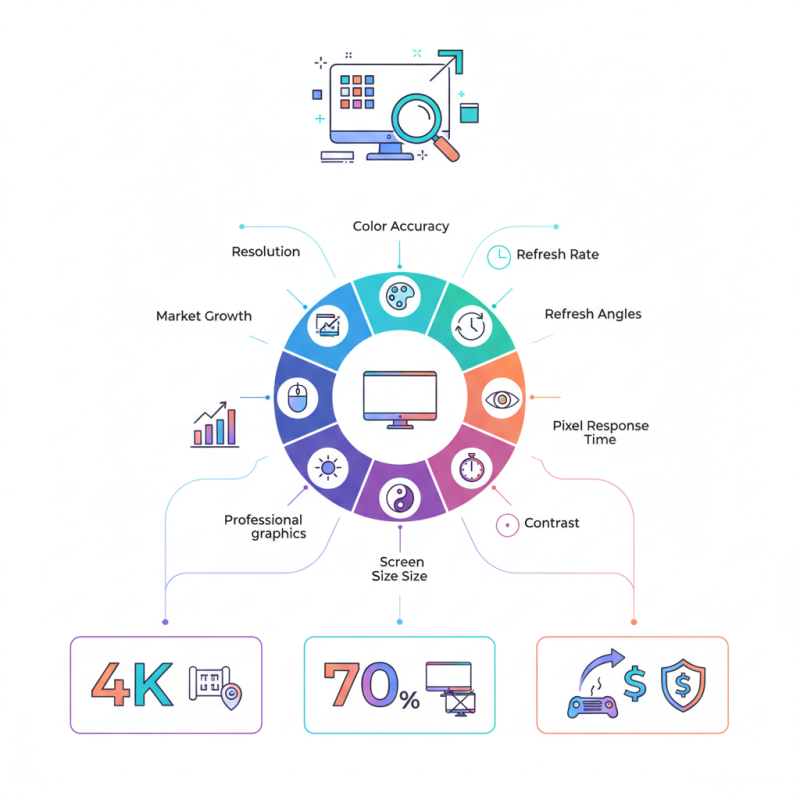
Choosing the right LCD Display is critical for various applications, from gaming to professional graphics. The global LCD display market is expected to reach $135.4 billion by 2025, according to a recent report by Market Research Future. This surge highlights the importance of understanding key features of LCD displays.

When selecting an LCD display, you need to consider factors such as screen resolution, color accuracy, and refresh rates. For instance, a display with a 4K resolution offers clarity that is crucial for design work. However, many users overlook aspects like viewing angles and pixel response time. Such oversights can significantly impact the user experience.

Additionally, industry insights reveal that 70% of users prioritize screen size over other features. Yet, larger screens do not always mean better quality. If the display lacks adequate brightness or contrast, the experience can suffer. An informed choice is essential for maximizing the benefits of your investment in an LCD display.
Top 10 Tips for Choosing the Best LCD Display for Your Needs?

Understanding Your Display Requirements and Usage

When selecting an LCD display, understanding your specific requirements is crucial. Consider the primary usage scenario. Will you use it for gaming, professional design, or general browsing? Each use case demands different specifications. For example, gaming often requires higher refresh rates and lower response times. In contrast, design work may demand accurate color reproduction. Knowing your priorities can help guide your choice.

Consider the environment where the display will be used. Is it a brightly lit room or a darker space? Brightness levels vary among displays. HDR capability may enhance your experience in well-lit areas. Additionally, viewing angles matter. If multiple people will view the screen, a wide-angle display is beneficial.

Don't overlook other features such as resolution and connectivity options. The right resolution enhances clarity, but it also depends on the screen size. A higher resolution on a small screen might be wasted effort. Ports for HDMI or USB-C impact usability, especially with multiple devices. Take time to reflect on how these factors will meet your needs, even if it means reassessing your initial preferences.

Top 10 Tips for Choosing the Best LCD Display for Your Needs

This bar chart illustrates the importance level of various features to consider when choosing an LCD display. Features such as resolution and screen size are rated higher in importance, which reflects common user needs and preferences.

Evaluating Different Types of LCD Technologies

When evaluating different types of LCD technologies, it's essential to understand the distinct characteristics of each type. For instance, Twisted Nematic (TN) panels provide the fastest response times, making them great for gaming. However, their color reproduction and viewing angles are limited.

In contrast, In-Plane Switching (IPS) panels offer superior color accuracy and wider viewing angles, which is beneficial for professionals in design. A report by Display Search indicates that IPS technology has been gaining popularity, increasing its market share by 18% over the past two years.

Another emerging technology is Vertical Alignment (VA), which combines benefits from both TN and IPS. VA panels deliver deep blacks and better contrast than TN, but they still lag behind IPS in color consistency. The growing demand for quality displays in the gaming and design sectors may drive more innovation in this area.

Understanding the trade-offs is crucial. For those seeking vibrant colors, an IPS panel might be the right choice. Yet, gamers may prioritize speed offered by TN panels. Each display type carries its set of strengths and weaknesses. Choosing the right LCD means aligning these factors with your specific needs.

Determining Ideal Screen Size and Resolution

When selecting an LCD display, screen size and resolution play crucial roles. A larger screen often enhances the viewing experience. However, bigger isn't always better. Consider your available space and how far you typically sit from the screen. If you choose a large display for a small room, the image may overwhelm you.

Resolution affects clarity and detail. Higher resolution means sharper images. For general use, 1080p is often sufficient. However, for graphic design or gaming, 4K displays offer stunning detail. Balance your needs with your budget. Remember, higher resolution usually comes at a higher price.

Tip: Test displays in-store before purchasing. Observe how different screen sizes and resolutions impact your viewing experience. A screen that appears great in a showroom may not fit your personal preferences at home. Visual comfort is key. Finally, always consider the purpose of the display. Your needs will guide you toward the ideal choice.

Considering Connectivity Options and Compatibility

When selecting an LCD display, it's crucial to evaluate connectivity options. Look for HDMI and DisplayPort inputs. These are common in modern devices. Having multiple input types increases compatibility with various gadgets. Think about your current tech setup. Do you use a laptop, gaming console, or streaming device? Make sure the display you choose connects easily.

Consider the display's resolution and refresh rate as well. A 4K display may seem tempting, but it requires capable hardware. If your computer or console isn't equipped for it, you might face issues. Lower resolutions are fine for everyday tasks, but they won’t give the same quality for gaming or movies.

Also, check the audio options. Many displays have built-in speakers, but they often lack quality. If sound matters to you, consider external speakers. Think about how you will use the display day-to-day. Understanding your needs helps avoid future disappointments. Compatibility is essential. Assess your devices before making a purchase decision.

Assessing Budget Constraints and Value for Money

When selecting an LCD display, budget considerations are crucial. The average price for a quality LCD screen ranges from $150 to $600, depending on size and features. A report from Market Research Future (MRFR) indicates that the global LCD display market is projected to reach $140 billion by 2025, emphasizing the competitive landscape. Investing wisely can enhance visual experiences without overspending.

Value for money often depends on balancing features with cost. For instance, higher resolution displays can cost 20% more, but they offer sharper images. Reports suggest that users prioritize color accuracy and response time, which may justify higher investments. Choosing a display with good performance metrics can significantly improve satisfaction. However, with great features comes great responsibility. It's essential to consider whether the added performance aligns with your actual needs.

Many users overlook the long-term value. Cheaper models may save money upfront, but they often lack durability and performance. Data shows that more reliable displays reduce replacement costs. Reflecting on these aspects is vital. Determine your true requirements before making a decision. Don't fall for flashy specs; focus on what you need most.