How to Choose the Best IPS LCD Display in 2026?
How do you choose an Ips Lcd Display that performs reliably in 2026? Start with the job it must do. A handheld meter used outdoors needs different priorities from a control panel in a dim room. Screen size and resolution matter, but so do brightness, contrast, viewing angle, and readability under glare. Small details count.
Compare published specifications with your device’s real operating conditions. Check the interface, such as SPI, RGB, or MIPI, and confirm that your controller supports it. Review the panel’s operating-temperature range, backlight life, power draw, and touch compatibility before selecting a model. Ask suppliers for datasheets and, when possible, sample units. Test them at the intended viewing distance, inside the planned enclosure, with the cable and lighting you expect to use. A bare panel can look excellent on a bench and disappoint once installed. It happens.
The “best” Ips Lcd Display is not automatically the brightest or most expensive option. It is the one that balances image quality, integration effort, durability, availability, and cost for your application. Consider how users will interact with it, how often the product runs, and whether replacement units will remain accessible. Specifications are useful, but they do not answer every practical question. This guide explores key selection factors, common trade-offs, and questions to ask before committing. Even careful selection leaves some uncertainty. Real-world testing matters.
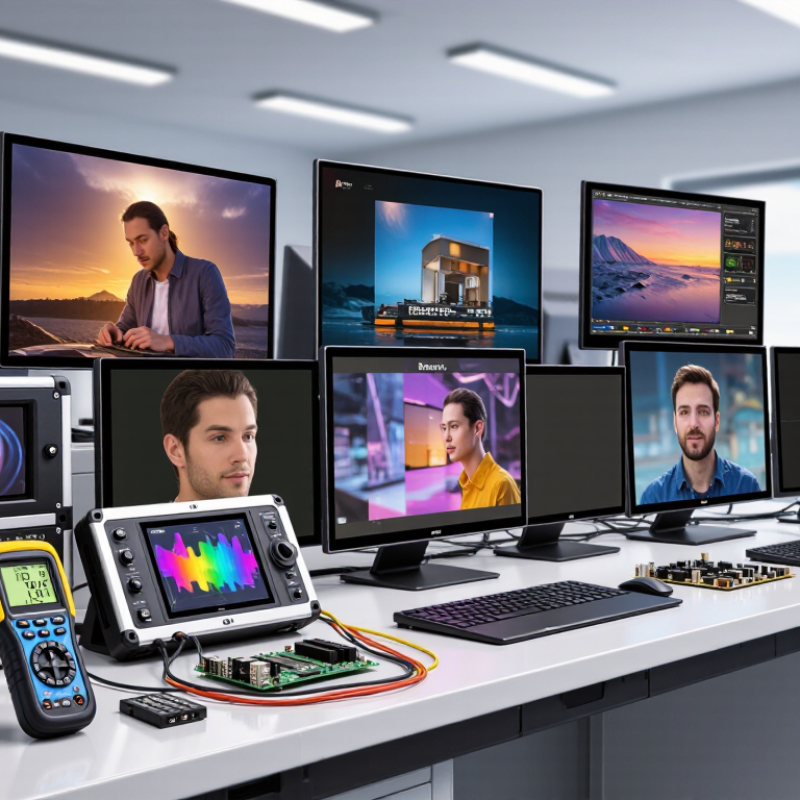
Identify Your Use Case and Viewing Environment
Before comparing IPS LCD specifications, define what the display must show and who will view it. A handheld meter used outdoors needs different qualities from a control panel viewed across a workshop. For spreadsheets or dashboards, check whether text remains clear at the intended distance. For images, assess color consistency across the screen, not just from the center.
Look closely at the viewing environment. A bright window, overhead lamps, or sunlight can create reflections that obscure an otherwise sharp image. Compare the panel’s brightness with the surrounding light, and consider a matte surface if glare is likely. Check viewing angles when several people need to read the display from different positions. Small details matter. A screen mounted high on a wall may be viewed from below, while a desk display is usually seen straight on.
Match the screen size and resolution to the content, then test a sample under realistic conditions whenever possible. Use the actual interface, lighting, and viewing distance. Check for washed-out colors, tiny labels, and distracting reflections. It is easy to overvalue a high brightness figure on a specification sheet; that number alone cannot predict comfort. IPS panels generally offer broad viewing angles, but performance varies by panel and surface treatment. A quick hands-on check can reveal something the datasheet misses.
Compare Resolution, Size, Refresh Rate, and Response Time
Choosing an IPS LCD begins with matching resolution to screen size and viewing distance. A 24-inch display at 1080p can look clear at a typical desk distance, while 1440p provides finer detail for text and detailed work. Higher resolution also makes interface elements smaller unless scaling is adjusted. Numbers can mislead. Compare pixel density, then check whether text looks comfortable at your usual distance.
Refresh rate describes how often the screen updates each second. A higher rate can make scrolling and motion look smoother, but the benefit depends on your tasks and the content being shown. For everyday office work, a moderate refresh rate may be enough.
Response time is different: it measures how quickly pixels change between shades. Slow transitions can leave visible trails behind moving objects. Very low advertised figures may use specific test conditions, so check what measurement method is stated.
Consider resolution, size, refresh rate, and response time together rather than ranking them separately. A large, sharp screen may suit spreadsheets, while fast-moving games place more value on smooth updates and quick pixel transitions. If possible, view moving images and small text in person; panel settings can affect what you see. There is no perfectly neat ranking. Your preferred balance may take a little adjustment.
Check Interface, Power, Touch, and Mounting Compatibility
Choosing the best IPS LCD in 2026 starts with matching its interface to the controller board. Check the panel’s exact interface, pinout, voltage levels, and supported resolution; similar connectors do not guarantee compatibility. VESA’s DisplayPort 2.1 specification defines link rates up to 80 Gbit/s. That figure describes the interface, not what every display needs. A mismatch here can leave a crisp panel blank.
Check power draw during startup and with the backlight at full brightness, not just the typical operating figure. USB-IF’s USB Power Delivery 3.1 specification supports power delivery up to 240 W, but a USB-C connector does not guarantee the panel’s required voltage rails. For touch, confirm whether the controller expects USB, I²C, or another protocol. Then compare the active-area dimensions, bezel, mounting holes, and cable exit direction with the enclosure. These small details are easy to overlook.
Tips: Print the panel’s mechanical drawing at full scale. Check hole positions and cable clearance before ordering. Keep a little tolerance; drawings and real assemblies do not always line up perfectly. A compatibility checklist helps, though it cannot replace a physical fit test.
Evaluate Durability, Warranty, and Total Cost of Ownership
When choosing an IPS LCD display in 2026, look beyond the quoted unit price. Durability depends on the actual working environment. A panel near a sunny window may need higher brightness and stronger heat tolerance than one inside a control cabinet. Check the operating-temperature range, backlight-life rating, and whether the cover glass resists scratches. If the display will be touched hundreds of times daily, ask how touch performance is tested. Numbers help, but real test conditions matter.
Warranty terms can change the value of a display more than expected. Confirm how long coverage lasts, which failures are excluded, and who pays shipping or labor. Ask whether replacement parts will remain available during the equipment’s expected service life. A long warranty is useful only when claims are practical to make. Not always. I would also compare the cost of downtime: a failed screen can delay work even when its replacement is covered.
Tips: Estimate total cost of ownership over the same period for every option. Include purchase price, power use, installation, likely repairs, and replacement labor. Cheap can turn costly. Keep the assumptions written down; estimates can be imperfect, and that is worth acknowledging.