
How to Choose the Best Desktop Dental Metal 3D Printer?
The demand for precise and efficient dental solutions drives innovation in 3D printing technology. The desktop dental metal 3d printer has become a game changer in the dental industry. According to market research, the dental 3D printing sector is projected to reach $6.3 billion by 2025, reflecting a compound annual growth rate of 25.5%. This growth highlights the need for practitioners to invest in advanced technologies.
Choosing the right desktop dental metal 3D printer involves considering various factors. Print speed, accuracy, and material versatility are critical. Reports emphasize that many practitioners still face challenges in selecting suitable equipment. Some printers may not meet specific dental needs, leading to dissatisfaction. It’s essential to evaluate options based on real-world outcomes rather than promotional claims.
As the industry evolves, ongoing research and feedback are vital. Evaluating user experiences can lead to better-informed decisions. Practitioners must weigh performance against cost and workflow efficiency. In this quest, the right desktop dental metal 3D printer stands as a cornerstone for enhancing practice capabilities.
Understanding the Basics of Desktop Dental Metal 3D Printers
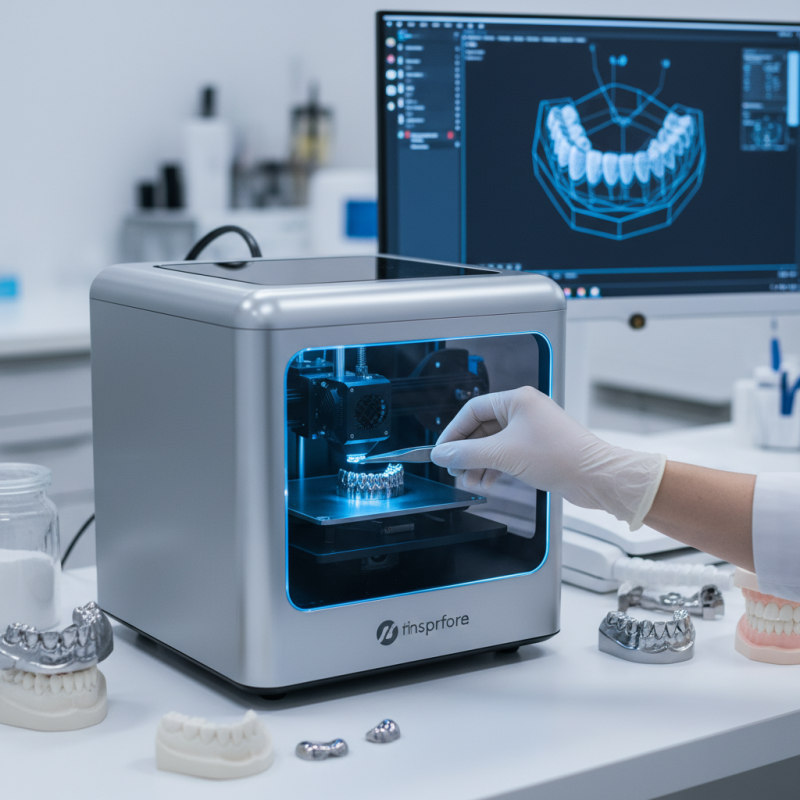
Desktop dental metal 3D printers have transformed dental practices, offering unprecedented precision. When selecting the right printer, understanding the key features is critical. These devices use metal additive manufacturing technology to create intricate dental restorations. This includes crowns, bridges, and dentures. Their ability to deliver high-quality results stands out. However, not all printers are created equal.
A strong consideration is the printer’s build size. Limited space can restrict creativity and production capabilities. Some users may overlook the importance of material compatibility. The choice of metal materials like titanium or cobalt-chromium can impact the outcome. Users must also evaluate layer thickness. Thinner layers offer finer details but can increase printing time significantly.
Potential buyers should also reflect on their experience with 3D printing technology. A lack of familiarity can lead to mismanaged expectations. Training may be necessary to harness the full potential of the device. Maintenance requirements can also complicate ownership. Regular upkeep is critical for achieving consistent print quality. Make sure to weigh these factors carefully.
Dental Metal 3D Printers Comparison
This bar chart compares several key specifications of desktop dental metal 3D printers, including build volume, layer thickness, and print speed. Selecting the right 3D printer depends on understanding these specifications.
Key Features to Look for in a Dental Metal 3D Printer
When selecting a desktop dental metal 3D printer, several key features should guide your decision. Precision is paramount; look for printers with high resolution. This ensures that small details are accurately reproduced. It’s also essential to consider the build volume. A larger build volume allows for multiple prints at once, increasing efficiency in your practice.
Another important aspect is the printer’s material compatibility. Different dental applications require different metal types. Check if the printer can handle the materials you plan to use. User-friendly software is crucial too. It should simplify the printing process, allowing for easy adjustments and monitoring.
Stay mindful of the reliability of your chosen printer. No one wants unexpected downtime. Look for models with a reputation for durability. Feedback from other dental professionals can provide insights here. It's always wise to research and reflect upon what features are most critical to your specific needs and workflows. Every dental practice is unique, and what works for one may not suit another.
How to Choose the Best Desktop Dental Metal 3D Printer? - Key Features to Look for in a Dental Metal 3D Printer
| Feature | Description | Importance |
|---|---|---|
| Build Volume | Refers to the maximum size of the object you can print. | Higher build volumes accommodate larger dental parts. |
| Layer Thickness | Defines the vertical resolution of the 3D print. | Thinner layers yield finer details, crucial for dental applications. |
| Print Speed | Indicates how fast a printer can produce a model. | Faster speeds improve productivity in busy dental labs. |
| Material Compatibility | The range of metals and alloys the printer can use. | Versatility in materials enhances design possibilities. |
| User Interface | The ease of use for operating the printer. | Intuitive interfaces reduce the learning curve for operators. |
| Support and Warranty | Availability of customer service and coverage period for the printer. | Strong support ensures quick solutions and minimizes downtime. |
Assessing Print Quality and Material Compatibility
When selecting a dental metal 3D printer, print quality is paramount. High-resolution prints ensure fine details are captured, critical for dental applications. Metals like titanium and cobalt-chromium require precise calibration to achieve accurate results. A printer's layer thickness can significantly affect final output. Thinner layers often yield smoother surfaces but take more time. Users must balance speed and quality to meet their specific needs.
Material compatibility plays a crucial role too. Not all printers can handle the same metals effectively. Researching the printer's specifications helps in understanding which materials are supported. Some printers perform well with specific alloys but struggle with others. A mismatch can lead to suboptimal prints, which may lead to costly errors. Practitioners should test different materials and settings to refine their understanding of what works best for their requirements.
Prototyping and iterative design can help identify the right combination of printer and material. Expecting perfect results on the first attempt might lead to disappointment. Regular adjustments and tests can drive improvements. Engaging with a community of users can share insights and experiences, leading to better outcomes.
Evaluating Cost and Budget Considerations
When considering a desktop dental metal 3D printer, cost and budget play crucial roles. Prices can vary significantly based on features, build quality, and material compatibility. Initial expenses include the printer, necessary software, and compatible materials. Allocate a portion of your budget for maintenance and potential upgrades. This is vital for maintaining optimal performance.
Researching hidden costs is important. You might overlook expenses such as electricity consumption, resin costs, or replacement parts. These can add up quickly. Some printers may require costly repairs due to lack of reliability. Evaluate user reviews and testimonials to gain insights into long-term reliability and additional expenses often unmentioned.
A common pitfall is excessive focus on price alone. While finding a budget-friendly option is essential, improper choices can lead to frustration. Assess your needs and expected production volume. If your practice scales, cheaper choices may become costly over time. Balancing initial investment with long-term value is critical for ensuring productivity and satisfaction.
Comparing Leading Brands and Models for Optimal Performance
When evaluating desktop dental metal 3D printers, it's crucial to compare different brands and models. Each option comes with unique features and capabilities that can significantly impact the final results. Look for printers that specialize in dental applications; not all metal printers are designed for dental use. Pay attention to build volume and precision. Smaller prints may require different settings than larger models.
Tip: Analyze user reviews and case studies to gauge real-world performance. Many printers may appear excellent on paper but perform differently in practice. Look for common feedback patterns.
Material compatibility is also vital. Some printers work better with specific alloys, affecting strength and detail. Conducting material tests can reveal limitations in various printers. Consider the software interface as well; it should be user-friendly yet robust enough for complex designs.
Tip: Make a checklist of your needs. This will help you avoid getting swayed by flashy marketing. Sometimes the best choice isn't the most advanced printer on the market. A basic model may better align with your specific projects and budget.